Status lights
So those who know me know I love Hue lights to show status. This all started for me back in 2015 when my previous employer, Zengenti, decided to start Lockdown (which in retrospect feels like a bad name now), and my project was "Build Status Lights", which involved hooking into our Continuous Integration server and showing the current status to a bunch of Hue lights installed in the ceiling of the Dev office. Red for a broken build, Amber for a building build, throbbing Amber for a build running unit tests, throbbing Green for a build deploying to our test environment, and solid Green when a build is built, succeeded all unit tests and deployed.
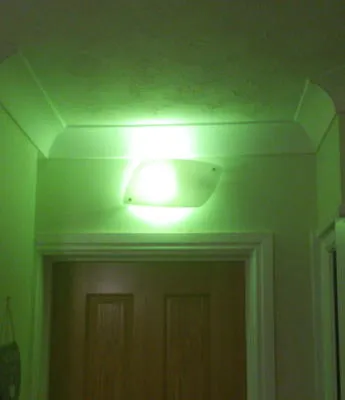
So yeah, I love any excuse to use a Hue light to display a status.
Both me and my partner work from home, and so it's common for us to pop into the other's office with a cup of tea or something, or send a short message via Alexa etc. Because we both do calls with our work, this could lead to an embarrassing situation if someone walks in on the other during a meeting, or sends an alert on Alexa during a meeting etc. So a system which I have slowly built up over time helps us solve this problem once and for all.
We both have two Trådfri colour lights in our offices (they aren't perfect but they are sooo cheap compared to Hue - which I do use elsewhere too), the left light showing the status of the person's office it is, so they know what they're "broadcasting", and the right light showing the status of the other person's office.
This has also been expanded to a light outside my office (not my partner's office... yet), also mirroring this status. For a long time I used Zigbee buttons to control this light, pressing it when starting a call, and pressing it again when coming off a call. This also handles Sonos, so that if a song is playing in my office, and my office only, it pauses the music, if it's being broadcasted elsewhere, like my partner's office for instance, then it will ungroup me from the playing music, so as not to interrupt my partner's music, and vice versa.
While this works perfectly, I've always longed for a more automated solution, because occasionally we forget to press our buttons and the status lights don't match. That can't do!
Years ago, I had this working with Skype. Skype used to have a local API, so a program could hook into the local API and get information on the current state, if on a call etc. But Microsoft in their infinite wisdom removed this years ago, and then with the switch to Teams, this wasn't brought back. Inspired by Hanselman's blog, I tried the new Presence API on Microsoft Graph, checking the status every 2 seconds. This worked, but there was a bit of a lag, and it's quite heavy constantly pinging Microsoft's servers every 2 seconds (Microsoft please make this a PUSH API, where you can register for events and then they get pushed to you via a callback URL or something). When answering the phone the music played on the call for a second or two before stopping - not ideal!
So I discovered that Teams logs some useful information, such as Status, if you're on a call etc. So I developed a program which monitors the logs and parses them to get a good indication of the current state of Teams. So I know if there's New Activity / Unread messages (will come in handy later in this post), if a call is Pending/Active/None, and what state I'm in, Available, Busy etc. So this enables me, through NodeRed and Home Assistant to parse what my program sends it, and then automagically update the lights depending on a combination on if I'm busy and don't want to be disturbed, or if I'm on a call etc and changes the light accordingly. Perfect.
But I couldn't stop there, so I went one step further. Being a remote worker, our communication tools are very important. Because I use multiple screens (and no speakers), I would sometimes miss the Toast notification for Emails or IMs on Teams, so I added yet another Trådfri bulb, for notifications. This uses the New Activity / Unread messages I mentioned earlier to set the light to Purple if there's a teams message I haven't yet read.
We use Outlook for Email, and I wanted a way to get the unread status out of Outlook too. I finally realised that this was trivial to do with a VSTO plugin. A simple app, that installs into Outlook, listens to events triggered from new email or changed email, then counts the unread emails if more than 0, send a true to NodeRed and Home Assistant, and if 0 send a false. This means that if I have unread mail, the light shows blue. If I have unread Teams messages and unread Emails, then the bulb alternates between blue and purple every 30 seconds or so until I read the messages.
Is this completely overkill? Yes and no. There's no doubt these lights do definitely add some value to our working lives, helping us navigate working from home, and in my case allowing me to glance at the state of my emails and teams. It has definitely made a massive improvement to my working day, I now hate to see the light on so make sure I read emails and teams as quickly as possible. But yes, this is a passion project of mine, I love playing with Hue lights and coming up with elaborate over engineered solutions for simple day to day issues, it's fun!
I've open sourced the code for both my outlook addin, and my teams log monitor over on GitHub, so feel free to clone and play around with if you want to.